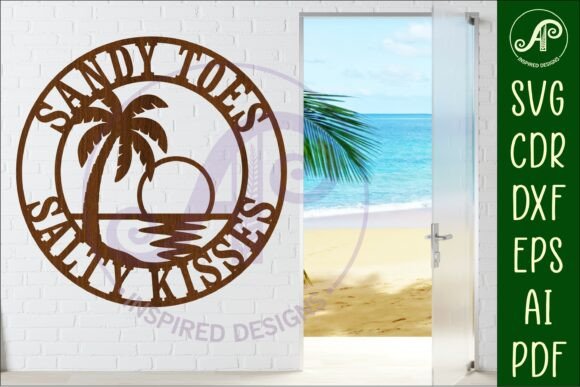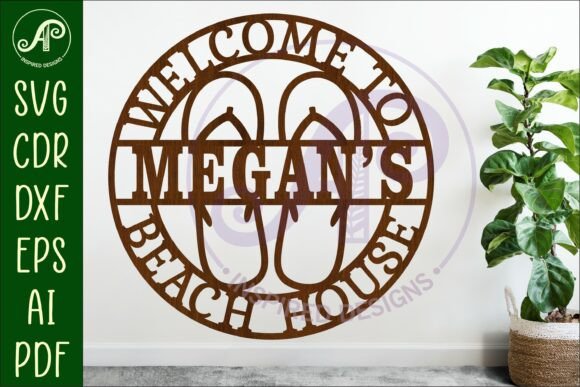
Beach House Name Sign Flip Flops Sign
Imagine a charming, coastal-inspired sign that instantly brings the relaxed vibe of the shore into your space. The Beach House Name Sign Flip Flops Sign digital download does exactly that, offering a playful, ready-to-cut design perfect for personalizing your home or creating a thoughtful gift. This isn't just a static image; it's a versatile design asset crafted for makers and creators.
This digital download provides a complete cut file package, making it incredibly straightforward to produce your own physical sign. The design features a playful flip flop motif integrated into a sign framework, ideal for displaying a family name, a fun phrase like "Life's a Beach," or a welcoming message for a vacation rental. The creative value lies in its ability to be customized, allowing you to inject personal flair into any coastal-themed project.
Practical Use Cases for Your Laser or Craft Machine
The true strength of this design is its adaptability across multiple formats and projects. Once downloaded, you'll find the file included in SVG, DXF, AI, filled SVG, PDF, and CDR formats. This ensures compatibility with a wide range of laser cutters, CNC routers, and popular crafting software like Cricut Design Space or Silhouette Studio.
Consider these applications for your next creative endeavor:
- Home Decor: Create a personalized wall art piece for a beach house, lake cottage, or coastal-themed bathroom.
- Custom Gifts: Craft a unique, handmade present for a wedding, housewarming, or summer birthday.
- Event Decor: Produce signs for a beach-themed party, luau, or outdoor wedding reception.
- Small Business Branding: Design a one-of-a-kind shop sign or point-of-sale display for a surf shop, rental agency, or seaside cafe.
- Seasonal Projects: Make decorative elements for summer merchandise or holiday ornaments.
Design Flexibility and File Details
The design is optimized for cutting on laser or metal cutters at a recommended width of 20 to 50cm, with the master file saved at 25cm (10 inches) for perfect proportions. A key feature is the included PDF with step-by-step instructions and video links, guiding you through the process of linking a custom name to the sign. This removes the guesswork, especially for those new to working with vector design files.
The files are organized with clear exterior cut lines, often in blue, for easy identification in your design software. You can easily scale the design up or down to suit your project's specific dimensions without losing quality, a fundamental benefit of working with vector-based formats like SVG and AI. This design flexibility allows you to adapt the concept to anything from a small ornament to a large wall hanging.
Tips for Selecting and Using Your Design Files
When choosing a digital cut file, consider a few best practices to ensure a smooth workflow and a professional result:
- Verify Software Compatibility: Confirm the file formats (like SVG, DXF) work with your specific machine and software before purchasing.
- Check the License: Understand if the license allows for personal use, commercial use, or both, especially if you plan to sell finished items.
- Assess Design Clarity: Look at the preview images to ensure the design details are crisp and the lines are clean for cutting.
- Test with a Small Cut: Before committing to a final material, do a test cut on cardboard or scrap wood to adjust your machine's settings for the perfect depth and speed.
The right design asset, much like a well-chosen typeface in graphic design, elevates a project from simple to polished. It provides a foundation of quality and intention. By starting with a well-crafted, detailed cut file like this one, you ensure your final physical product has the clean lines and professional presentation that makes it truly stand out. It’s about giving your creativity a reliable and beautiful starting point.